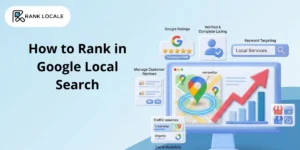
Google reviews help people learn about a business before making a decision. They provide real customer feedback, ratings, and experiences that help others choose the right service.
For small businesses, Google reviews are an important trust signal.
They help improve online reputation, attract local customers, and increase visibility in Google Search and Google Maps. Many consumers read reviews before hiring a contractor, visiting a restaurant, or choosing a local service provider.
Honest feedback helps people make confident and informed decisions. Customer reviews also help businesses understand what they are doing well and where they can improve. Strong reviews can increase credibility and generate more leads over time.
Whether you’re sharing a positive experience or providing helpful feedback, your review can make a difference. It helps other customers while supporting local businesses in your community.
In this guide, you’ll learn how to leave a Google review, what makes a review valuable, and how reviews impact local SEO, Google Business Profile rankings, and online visibility across the USA.
What Makes a Google Review Useful and Relevant
A Google review becomes truly valuable when it provides clear context and real experience. Users often rely on reviews to decide whether a business is trustworthy, so vague or incomplete feedback does not help much.
A useful review typically includes what service was used, what the overall experience was like, and any specific details that local Seo stood out. Mentioning elements like service quality, communication, timing, and professionalism makes your review more helpful to others.
Short reviews like “good” or “bad” don’t provide enough information for readers. Instead, adding a few lines explaining your experience gives more clarity and makes your feedback meaningful.
For businesses, detailed reviews help identify strengths and areas for improvement while also supporting stronger engagement signals that can positively influence their Google presence.
How to Leave a Google Review for a Local Business
Leaving a Google review is simple, but many users still search for answers like “how to leave a Google review on iPhone,” “how to review a business on Google,” or “how to add a review on Google Maps.”
Here’s a quick step-by-step process:
- Search for the business on Google
- Open its Google Business Profile
- Scroll to the Reviews section
- Click “Write a Review”
- Select a star rating
- Share your experience and feedback
- Click Submit
This process works on both mobile devices and desktop computers. To make your review more helpful, focus on sharing genuine details about your experience, the service you received, and what stood out during your interaction with the business.
How to Write a Review That People Trust
Not all reviews carry the same value. Some are ignored because they lack detail, while others stand out because they provide clear and helpful insights. A strong review doesn’t need to be long, but it should be meaningful.
Start by mentioning what service or product you used. This gives context to your experience. Then explain what stood out during your interaction. For example, you can describe the quality of service, communication, pricing, or overall experience.
Many users search for guidance on how to write a good review because they are unsure what to include.
Avoid vague statements like “great service” without explanation. Instead, explain what made it great. Was the team responsive? Was the delivery on time? Did the final result meet your expectations?
Well-written reviews not only help other users but also support businesses in improving their services and Increase Google Business Profile visibility through stronger engagement signals.
How to Check or Update Your Review Anytime
Many users also search for “how to view my Google reviews” or manage past feedback.
To check your reviews:
- Open Google Maps
- Click on your profile
- Go to “Your contributions”
- Select “Reviews”
From here, you can edit or delete any review you have written. This helps keep your feedback updated and relevant.
For businesses, managing reviews is equally important. They can respond to feedback, address concerns, and even work on strategies to Remove Bad Reviews by improving customer experience and resolving issues professionally.
Common Problems and Quick Fixes
Sometimes users encounter issues while trying to leave a review. These problems are usually minor and can be resolved quickly with a few checks.
Common issues include:
- Not being logged into a Google account
- Reviews not showing publicly
- Restrictions due to policy violations
- Location or listing errors
If your review is not visible, ensure it follows Google guidelines and avoid spammy or duplicate content. Many people search for “why can’t I leave a Google review,” and the issue is often related to account or policy restrictions.
How Reviews Help Businesses Grow Faster
Reviews are not just feedback they are a powerful ranking and conversion factor. Businesses with more positive and consistent reviews tend to perform better in local search results.
When users search for services, Google often displays businesses with strong ratings at the top. This means reviews directly influence visibility and traffic.
Reviews also build trust quickly. Most users trust real customer experiences more than advertisements. A strong review profile can significantly increase the chances of a user choosing one business over another.
Businesses that run local business ads benefit even more when they have strong reviews. Higher ratings improve click-through rates because users feel more confident engaging with businesses that have positive feedback.
In addition, reviews provide valuable insights into customer behavior. Businesses can Use Google Analytics alongside review trends to identify patterns, understand customer preferences, and improve their offerings.
How Businesses Can Get More Customer Reviews
Businesses should make it easy for customers to leave honest feedback. The best time to ask for a review is after a positive experience, when customers are most satisfied.
Providing a direct Google review link can simplify the process and encourage more responses. It’s also important to respond to reviews professionally and thank customers for their feedback.
Consistently collecting authentic reviews helps build trust, strengthen online reputation, and improve Google Business Profile visibility in local search results.
A steady flow of quality reviews can also help attract more customers and support long-term business growth.
Frequently Asked Questions
Write a clear, honest review with details about your experience, including the service used, quality, and overall satisfaction.
Search the business on Google or Maps, open its profile, tap “Write a review,” add a rating, write feedback, and submit.
Search for the business on Google, open its Google Business Profile, click the Reviews section, select "Write a Review," add your rating and feedback, then click Submit.
It may be filtered due to policy violations, account issues, or spam detection. Ensure your review follows Google guidelines.
Go to Google Maps → Your contributions → Reviews, then select the review to edit or remove it.
Conclusion
Writing a Google review is a simple process, but it has a powerful impact. Whether you’re sharing your experience or helping others make decisions, a clear and honest review adds real value.
For businesses, managing reviews is essential for growth, visibility, and trust. By focusing on quality feedback, engagement, and optimization, businesses can turn reviews into a strong marketing advantage.
If you want expert help in managing your reviews, improving visibility, connect with Rank Locale today call at 📞 +1-3025584901 and growing your online presence.